
Hello, StopTheMadness.

A few minutes ago, I felt look looking for Mac productivity software. My first thought was MacWorld’s utility reviews. They’re the best. So I went to MacWorld.com. I found this review of StopTheMadness. Five stars and MacWorld Editors’ Choice? I’m in.

I went to the App Store and paid my ten bucks. That’s all the information I need —I’m in. I don’t expect to use this a lot, but it is right up my alley.

What drives me the most crazy is sites that disable saving a photo to my computer. We will see if this helps with that occasional but infuriating problem, but I did not see “enable image download” on its list of checkboxes.

Note: I run into the problem of not being able to save an image from an article more on Apple News than on websites. I’d like a solution for that the most.
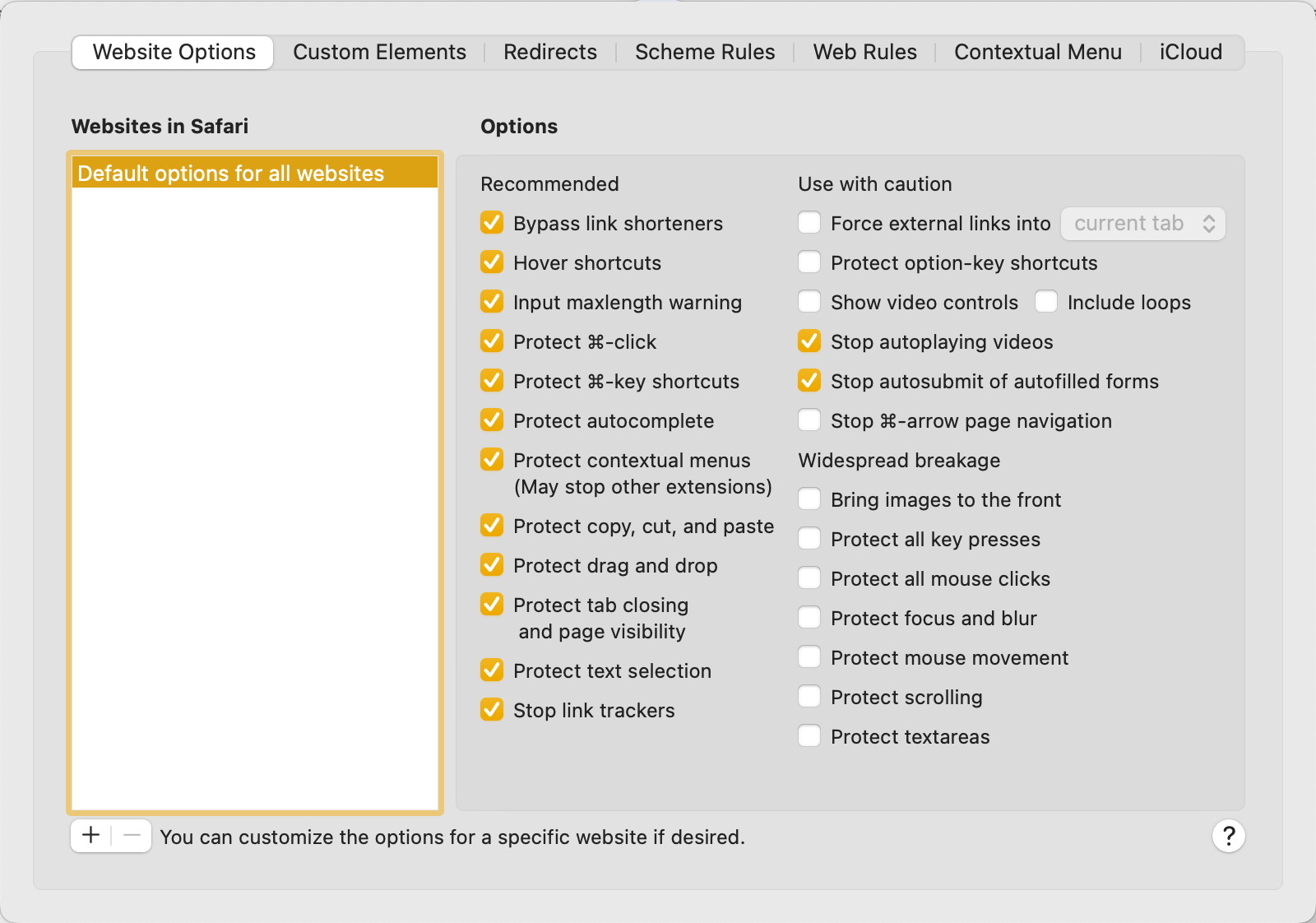
Screen Shot 2022 08 27 at 1 48 35 PM

Hello, iPhone Xs.

A friend was upgrading his iPhone X to an iPhone 11. He offered to sell me his. I wasn’t excited to upgrade from my most excellent iPhone 7 256, but I went for it. Then his wife was selling her iPhone Xs, too, and he called me from the store offering for me to buy that instead of his. Instead? If we’re doing unnecessary upgrades, let’s go all-in! I bought his iPhone X for my wife (to upgrade her iPhone 7 Plus) and his wife’s iPhone Xs to upgrade my iPhone 7.

My wife has been using her X for a few days and really likes it.

We sorted out the unlocking on the Xs (which took calendar days) and my wife picked up the compatible SIM for me today. I’ve had it working on cellular for about ten minutes.

So far, using the Xs essentially as an iPod for half a week, I really like it. I don’t want to go back to a buttoned iPhone.

My wife never wanted to leave her buttoned iPhone but she says she is totally happy with this buttonless X.

Hello, Mojave.

I upgraded both my Macs from High Sierra (OS X 10.13.3) to Mojave (OS X 10.14) yesterday. Here’s my take.

Night mode: Meh.

Apps have to get user permission to access things like contacts: Yes!

I had to grant various access (half a dozen things so far) so apps would have access to things. Secure by default is the way to go for the operating system!

Screen shot tool: Yes! This is better for me than Greenshot for Mac because it auto-saves the file to my pre-defined location with less clicks. It’s still inferior to Greenshot for Windows — that lets me control whether it captures an area or a window using different hotkeys (saving me mouse actions) and it lets me define an area with two points rather than resizing an existing rectangle. But this still beats Greenshot for Mac and is really good! Best Mojave improvement for me after the security improvement mentioned above.